
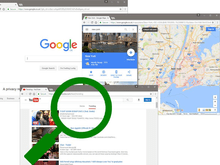




Secretly Record All Their Computer Activity
DownloadPurchased Version If you have purchased please click here. Free Trial
1 - Click the download button above to get OM SPY. 2 - Open the OM SPY installation program (OMS8.exe) if it doesn't appear automatically. Once OM SPY has been downloaded, an install screen will appear. Click Next >
Click Next > again. Click Yes to the message that appears.
Click Start.
OM SPY is now installed to your computer and will automatically launch. A one-time OM SPY set-up will begin.
Choose a secret 3 key combination. This is used to launch the password screen once the program is installed. Click Next Step >
Choose a password. This is used to open the program so that you can view the recorded logs once the program is installed. Click Next Step >
Enter your email address. This is used to remind you of your password and secret key combination. Also if you forget your password it will enable you to recover it by sending it to your email address. Highly recommended. Click Next Step >
You will be reminded of your details. We strongly advise you to write these down or print them and keep them somewhere safe. Click OK.
OM SPY is now installed to your computer and has been set up and will launch. To start monitoring press Start Monitoring.
You will get a final screen reminding you of your secret key combination and password. Click Start Monitoring.
Click here to read our privacy policy. |

